


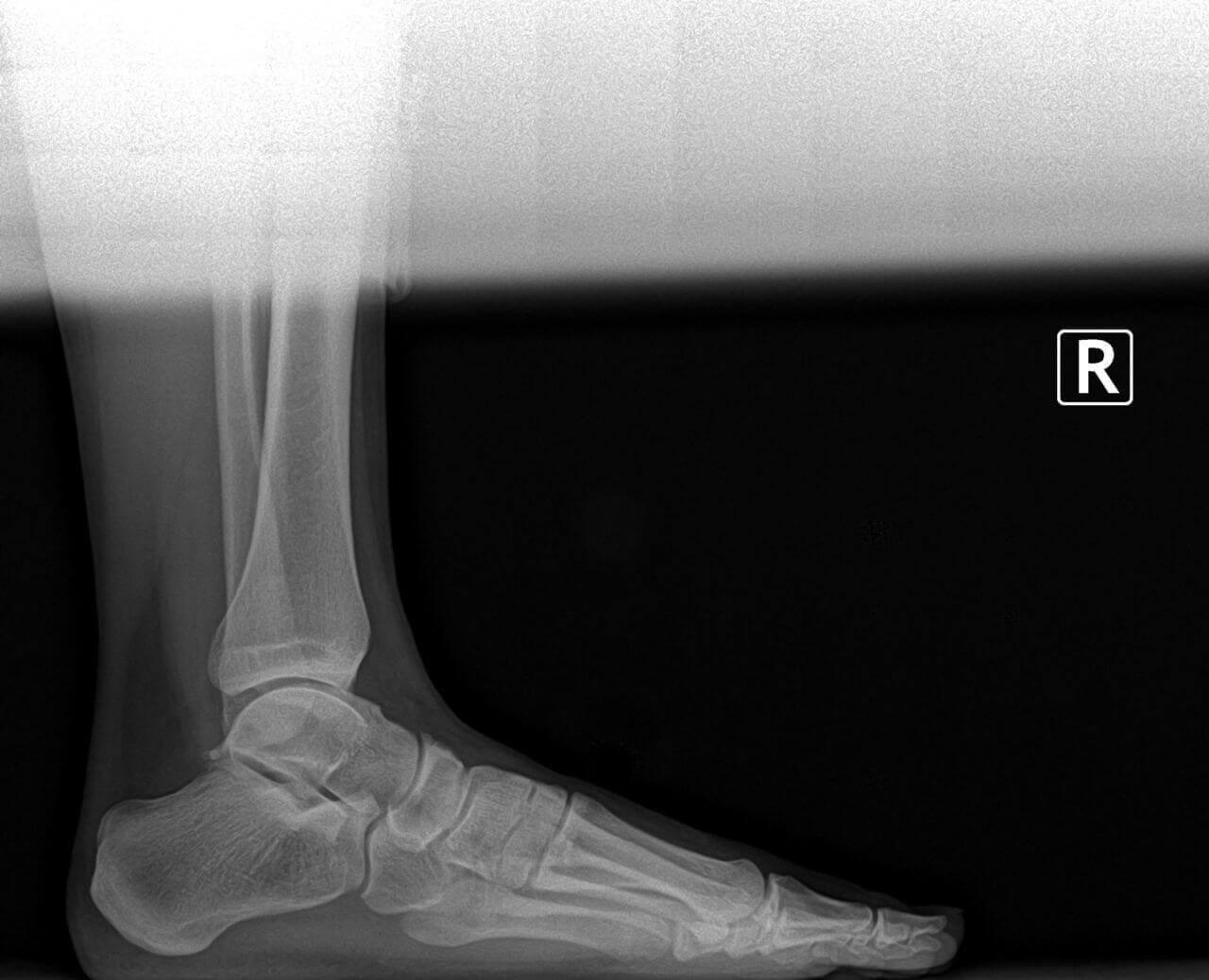
I recently evaluated and treated a patient who suffered from achilles tendonitis for multiple years. He had seen numerous other physicians and attempted conservative therapy consisting of physical therapy, NSAIDS, immobilization and bracing. His preoperative xrays are below; On the xray one can appreciate the large prominent posterior process of the calcaneaus or heel bone. This is a source of constant mechanical irritation of the achilles tendon as it inserts. Below one can see how the bone was removed and now the achilles tendon will not be irritated in the normal ambulatory cycle. The achilles tendon required partial detachment then was reattached with bone anchors. We see quite a few patients with achilles tendonitis, most do not require surgery. Or treatment protocols for tendonitis have been well established and time tested. If our patients do require surgery we are often able to preform it in our surgery center saving a costly and timely trip to the hospital.
Some Symptoms of Achilles Tendonitis:
Pain behind the heel
Pain after a period of inactivity
Stiffness, soreness or tenderness in the tendon (directly above the heel to just below the calf muscle)
Check if allow_url_fopen is enabled on your server. It is mandatory. If not then you must activate it. Contact with your Server Admin / Hosting Provider.
Steps to enable allow_url _fopen : allow_url_fopen = on allow_url_include = on. Add it to php.ini settings.
Google Business Reviews Error Notice!
Read Below Steps Carefully : 1. Check your API key and PLACE id. May be it is not right. Make sure it is correct one. 2. This message commonly shows when api key is exceeded daily request quota for this API or there is no active billing account for this API. Because according to Google there is a limit for free API key. If it exceeds they ask for billing. 3. To know more about Google Pricing , Check here : Google Pricing 4. You can create your Google API key here 5. Must use a right PlaceID. Get PlaceID here 6. One important thing, Don't forget to add billing account to Google. Must check what Google says here 7. If you still find issue , then check first if your Business registered with Google or not. Read more about it here 8.Still find issue, then contact developer : info@aaextensions.com or ashik685@gmail.com
Check if allow_url_fopen is enabled on your server. It is mandatory. If not then you must activate it. Contact with your Server Admin / Hosting Provider.
Steps to enable allow_url _fopen : allow_url_fopen = on allow_url_include = on. Add it to php.ini settings.
Google Business Reviews Error Notice!
Read Below Steps Carefully : 1. Check your API key and PLACE id. May be it is not right. Make sure it is correct one. 2. This message commonly shows when api key is exceeded daily request quota for this API or there is no active billing account for this API. Because according to Google there is a limit for free API key. If it exceeds they ask for billing. 3. To know more about Google Pricing , Check here : Google Pricing 4. You can create your Google API key here 5. Must use a right PlaceID. Get PlaceID here 6. One important thing, Don't forget to add billing account to Google. Must check what Google says here 7. If you still find issue , then check first if your Business registered with Google or not. Read more about it here 8.Still find issue, then contact developer : info@aaextensions.com or ashik685@gmail.com